
Overview
Teamtrics v14.0.0 introduces a new Pending Requests section on the Dashboard to help managers and authorized users quickly identify operational items that require attention. Instead of navigating across multiple modules to find requests awaiting approval, users can now see them in one centralized location directly from the Dashboard.
This improvement enhances operational awareness, reduces delays in approval workflows, and allows managers to prioritize important requests more efficiently.
What’s New in This Release
Dashboard – Pending Requests
A new Pending Requests component has been added to the Dashboard to provide a centralized view of operational requests requiring managerial action.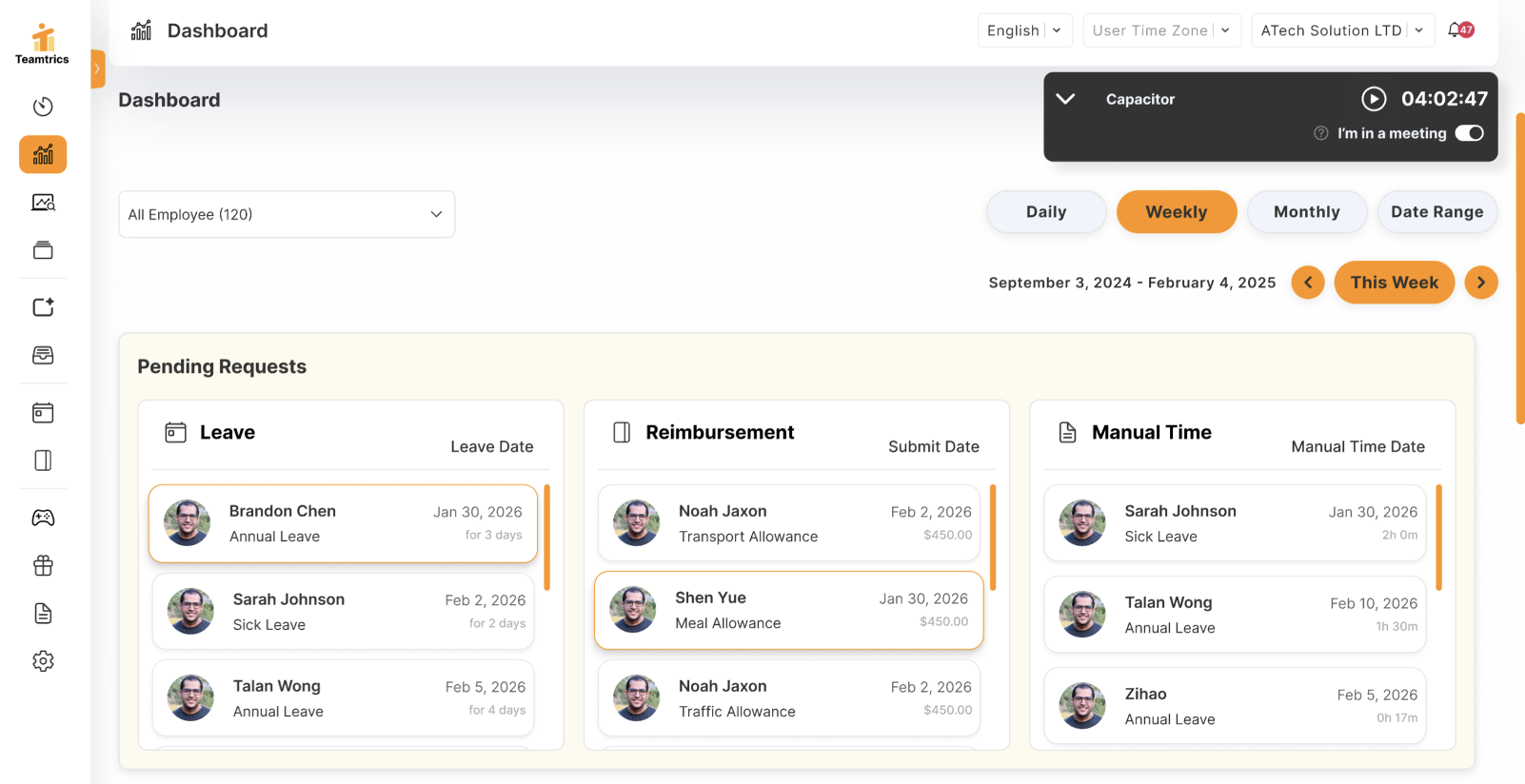
Users can now:
- View pending operational requests directly from the Dashboard without navigating through multiple modules
- See requests organized into separate cards by request type:
- Leave Requests
- Reimbursements
- Manual Time Logs
- Access each request quickly by clicking an item, which redirects to the corresponding request detail page
To improve clarity and usability:
- Each request type is displayed within its own card with a scrollable list to maintain a clean and stable dashboard layout
- Requests are automatically ordered to help managers prioritize actions:
- Leave requests are sorted by upcoming leave date
- Reimbursements are sorted by submission time (oldest first)
- Manual time log requests are sorted by the requested time log date (oldest first)
The dashboard updates dynamically as request statuses change. Once a request is processed—such as being approved, rejected, or completed—it is automatically removed from the Pending Requests list. When no requests are pending, a clear empty state message is displayed.
Other Updates
- Dashboard layout adjustments were implemented to support the new Pending Requests section while maintaining overall page stability.
- Job positions and AI personas are now automatically created during employee onboarding.
- Job position assignments are automatically synchronized when HR updates an employee’s position.