Overview
Teamtrics v13.0.0 focuses on a complete revamp of the Profile Page, improving how users view, edit, and manage their personal information. This release is dedicated to refining the profile experience with clearer layouts, improved interactions, and more consistent behavior across the platform.
By reducing friction and aligning the Profile Page with current design standards, this update makes everyday profile management simpler, more intuitive, and easier to maintain going forward.
What’s New in This Release
Profile Page Experience Improvements
The Profile Page has been restructured to provide a clearer and more consistent experience when viewing and editing personal information.
Users can now:
- View profile information with improved display logic and clearer structure
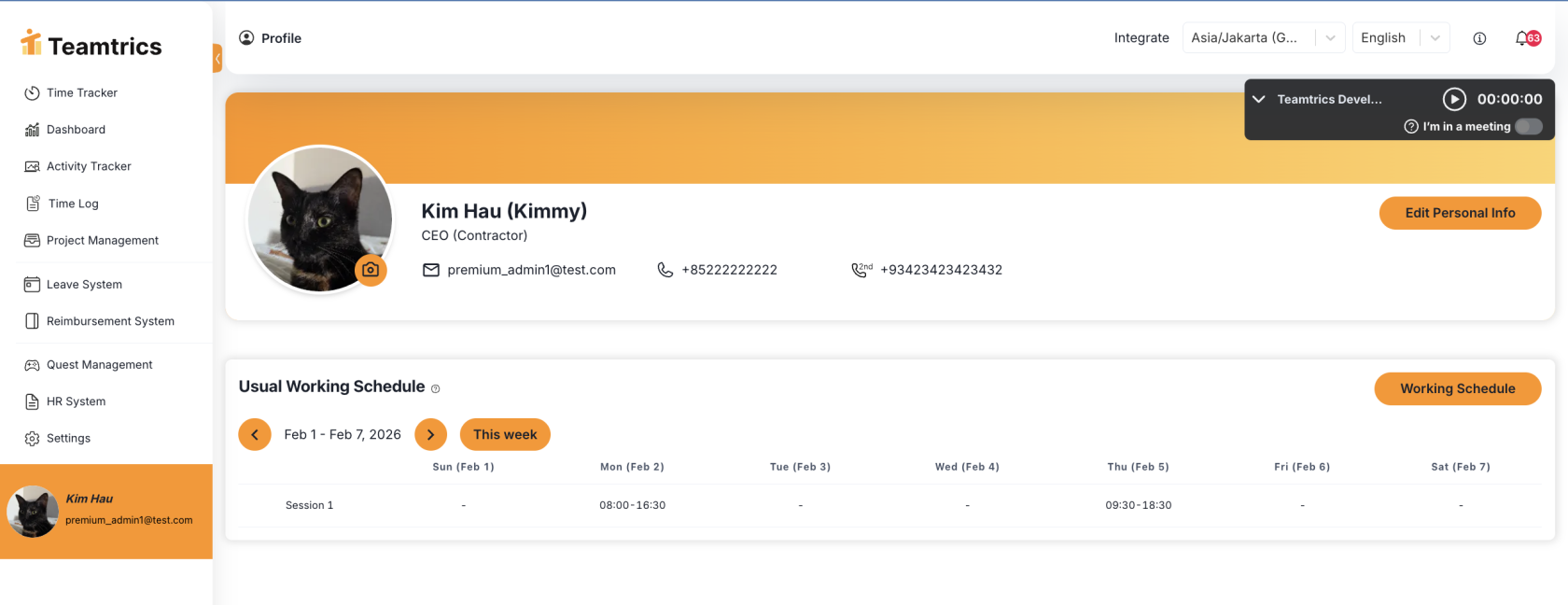
- Edit profile details using a more consistent flow aligned with HR personal information
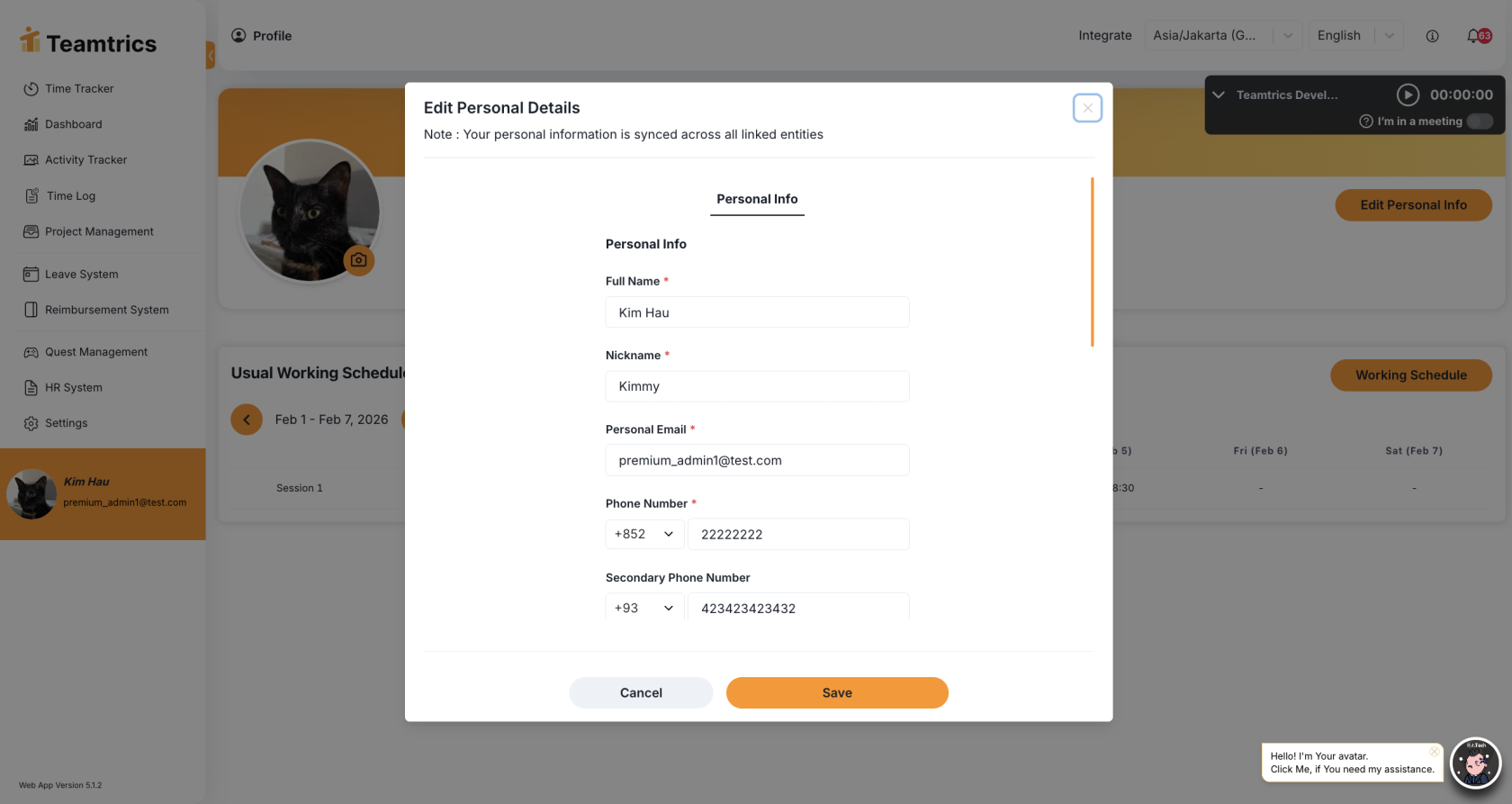
- See clearer visual feedback when navigating to and from the Profile Page
- Experience improved menu highlighting and interaction states
Profile Photo Management
Managing profile photos is now more flexible and user-friendly.
New improvements include:
- A clearer profile photo placeholder and entry point

- Support for uploading profile photos with crop, zoom, and drag controls
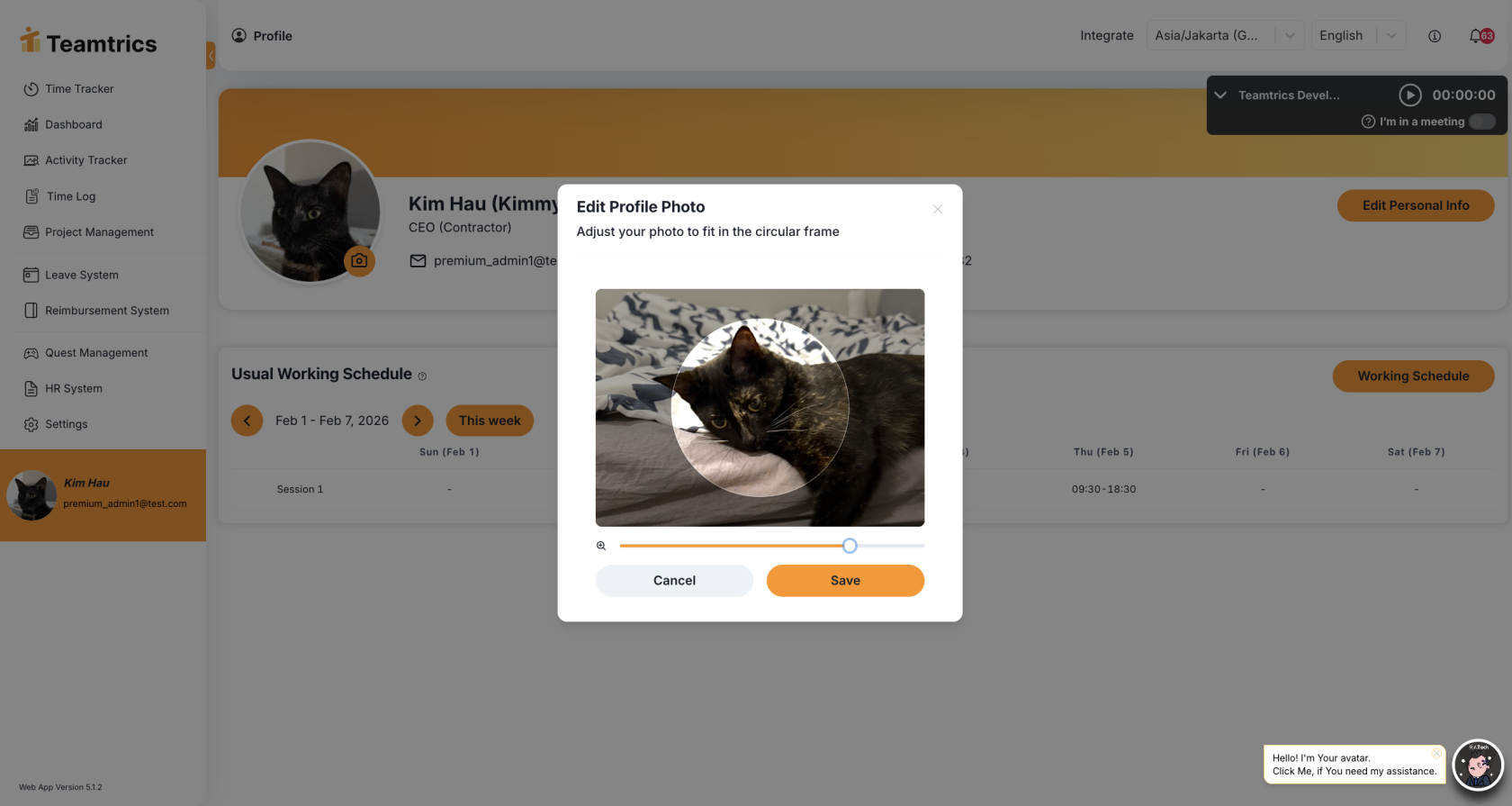
- Optimized photo resolution handling for better display quality
- A confirmation prompt when deleting a profile photo to prevent accidental removal
Safer Editing and Confirmation States
To reduce accidental data loss and improve confidence when editing profiles:
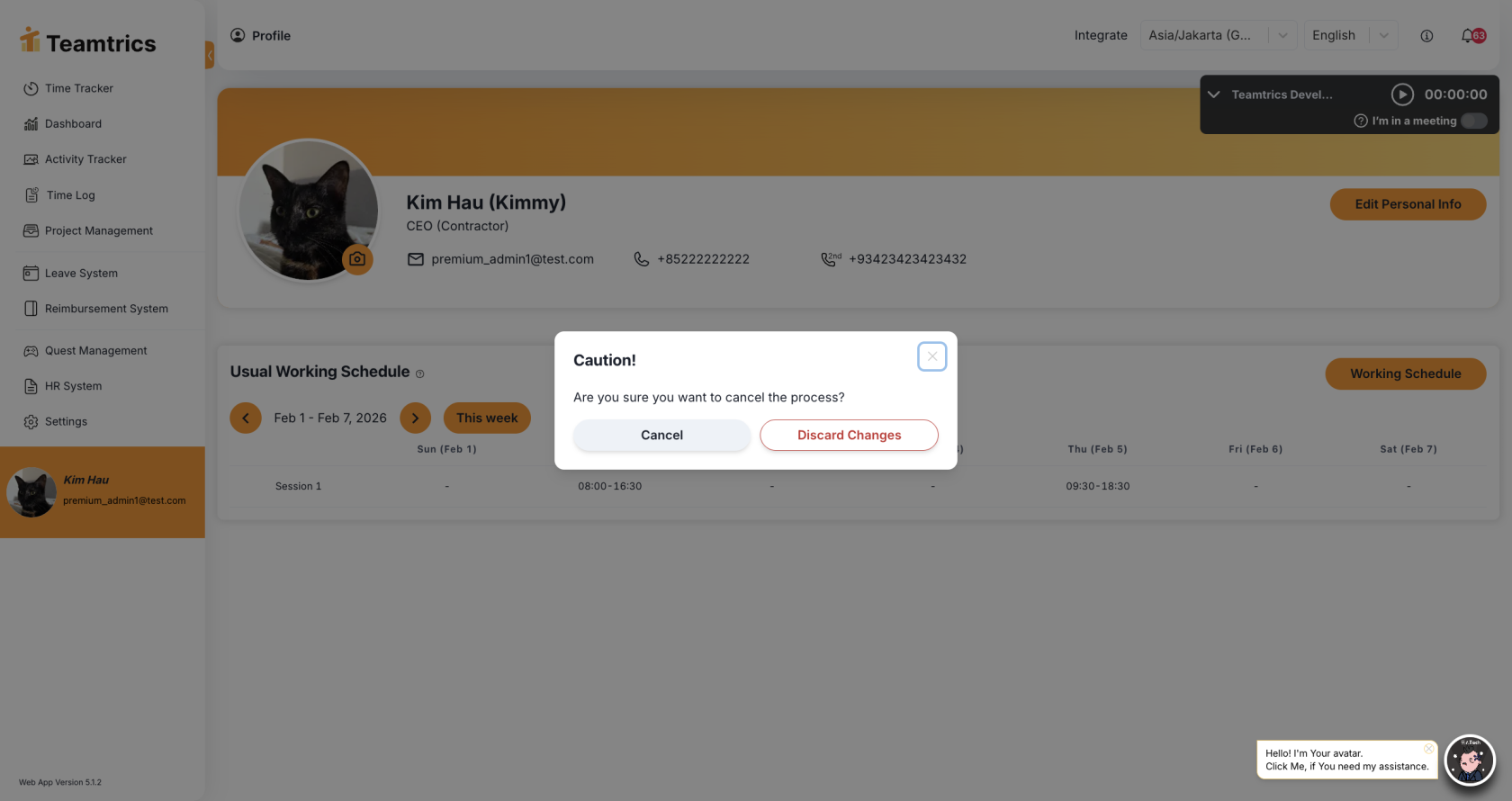
Schedule Section UI Updates
The schedule section within the Profile Page has been visually refreshed:

- Updated layout, buttons, and hover states for improved clarity
- A more consistent look and feel with the rest of the Profile Page
Bug Fixes
- Improved visibility of screenshot classification labels to ensure clearer identification and review
This release is focused entirely on improving the Profile experience without introducing unrelated features. As always, thank you for your continued feedback, which helps guide ongoing refinements across the platform.